Turn your everyday workflow into impact.

Hours of research go into clicking through desktop software: loading data, checking clusters one by one, exporting tables and figures. AI is starting to operate computers, but it has rarely been tested on the programs scientists actually use. We are collecting real workflows, designed and demonstrated by the scientists who run them, to measure accurately how well AI operates this software and then teach it to do this work for you.

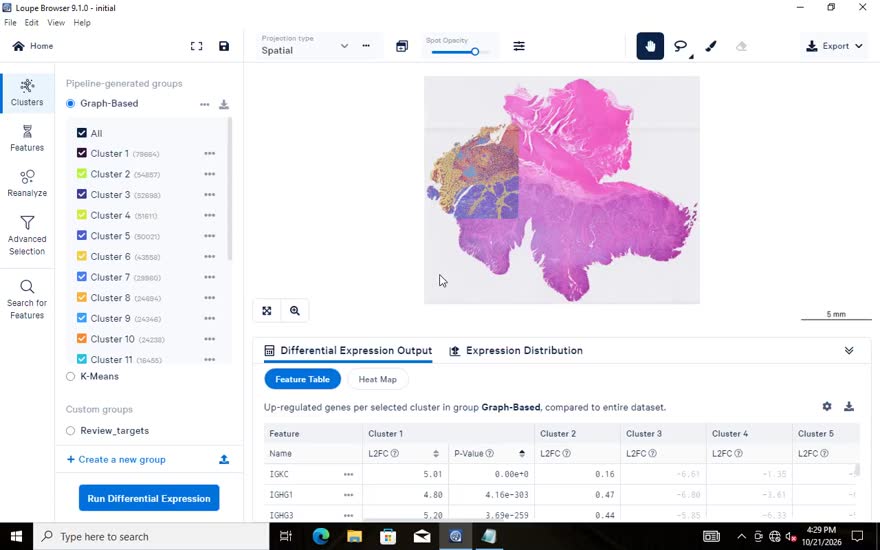
A task in 10x Loupe Browser: naming the cell type of each cluster in a colorectal cancer sample.
Every task runs in a sandboxed virtual machine we set up in advance, so there is nothing to install or configure on your own computer.
The project

The project in two phases

First we find out how well AI can actually use scientific software today, by testing it on real tasks. Then we use those same tasks to make it better. Your task contributes to both.

Phase 1 · now

Build the benchmark

We collect real tasks from across scientific software: if a program is part of your research routine, in any field, it belongs here. Each task runs the real program, and its result is checked automatically, the same way for everyone. A scientist’s demonstration is recorded alongside the AI’s attempt on the same task.

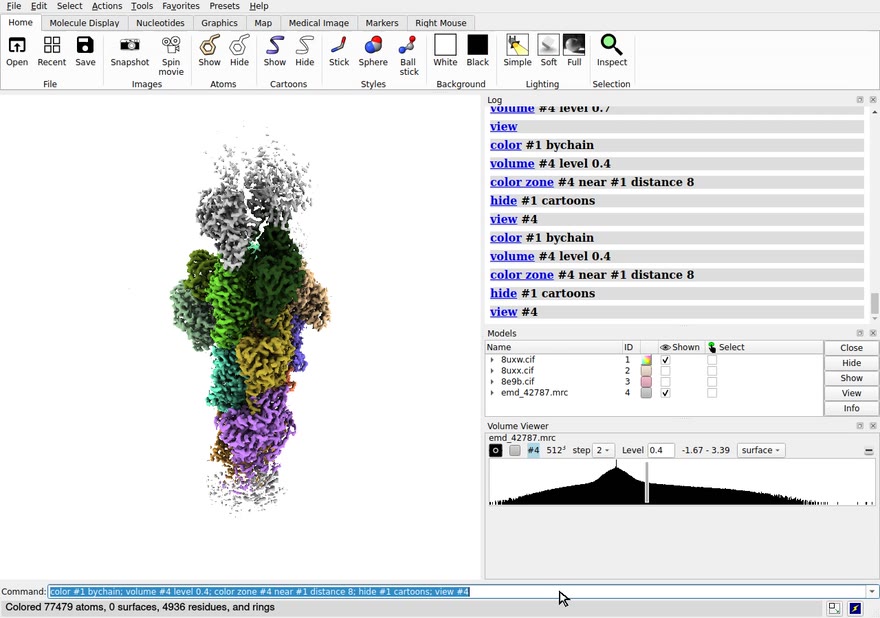
AI agent in ChimeraX · sped up
Phase 2 · next

Teach AI the software

The same tasks then become training material. An AI agent attempts each task in the real program, and the automatic check scores the files it produces. Every attempt leaves a scored trajectory, and these trajectories are what we use to improve how well AI operates scientific software like this.

Environment Agent actions feedback Successful trajectories
Tasks

What a task looks like

A task is a piece of everyday research work in the software you use, either something you actually do or something shaped like it.

You describe it, we build it, and anyone, human or AI, can then repeat it in a virtual machine and be checked.

1What a task can be

Meaningful software-based research work usually takes one of these two forms, or a combination of both.

A tissue sample with unlabeled clusters open in an analysis program
Deep analysis

One long investigation, start to finish

Open a dataset, explore it, make a series of decisions, and arrive at an annotated result with the reasoning written down.

Each step depends on the last, and the whole thing takes an afternoon.

A protein structure coloured by chain in a molecular viewer
Repeated routine

The same procedure, applied again and again

Take a procedure you have done once and apply it to every file, structure or sample in a set, with the same settings each time.

Tedious by hand, and many programs have no batch mode.

Any field is welcome: chemistry, physics, imaging, materials and more. The one thing we ask is that the task could genuinely come up in real research.

2What a task is made of

Every task has the same four parts.

Loupe Browser at the start of the task, with numbered clusters
StartWhat state is the software in? Which window is open, and what data is loaded?The sample is loaded and the clustering view is open. Clusters are only numbered, nothing is labeled yet.
for each of the 19 clusters
  1. 1Select the cluster
  2. 2Inspect its enriched genes
  3. 3Check it on the H&E image
  4. 4Rename it with the cell type
then
Export labelsSave projectWrite the evidence
InstructionWhat exactly should be done, and what should be saved at the end?Written once and shown word for word: name every cluster, export the labels and write down the evidence.
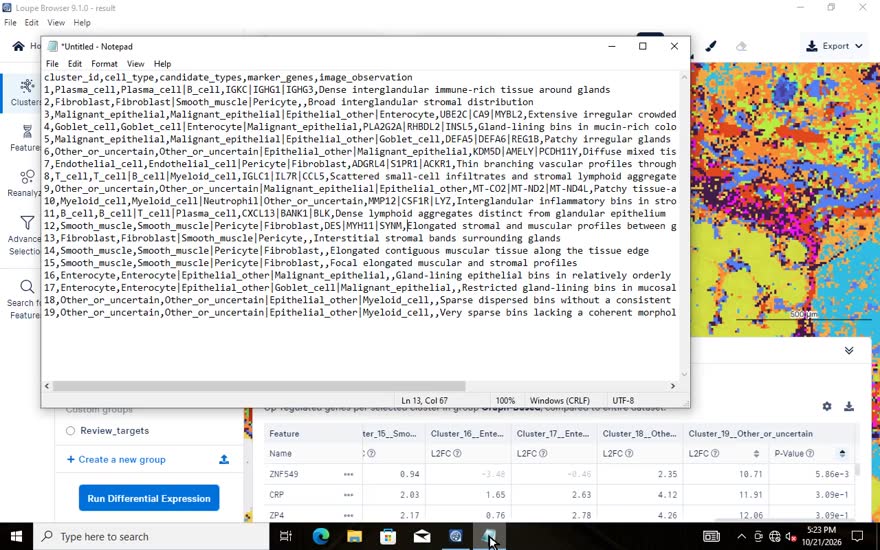
Notepad with a CSV report: one row per cluster with cell type, marker genes and tissue observation
ResultWhat does a finished attempt leave behind?Three saved files: the labeled project, the label table and a short report with the evidence.
#ExpertAttempt
  • 1Tumor epitheliumTumor epithelium1
  • 2Plasma cellsPlasma cells1
  • 3Smooth muscleFibroblasts0
  • …
  • 19Goblet cellsGoblet cells1
16 of 19 clusters matchscore 84
CheckIf you were the examiner, how would you grade the AI's work? What counts as right, and how is the score added up?Cluster by cluster. A label that matches the expert's scores 1, anything else scores 0, and the task score is the share of clusters that match.

Your design describes these four parts:

  • The softwareName, version and operating system
  • The input dataFiles we may use, such as a public dataset
  • The goalWhat to do, step by step if it helps
  • The outputWhich files to save: tables, images, sessions
  • The correct answerHow you would tell a right result from a wrong one
  • Why it mattersWhere this workflow comes up in your research
3What we look for

Any scientific software is welcome. These make a task much more likely to be accepted:

  • No easy shortcut for AINo API or MCP server to lean on, or the work needs eyes and judgment that code alone cannot give.
  • Thinking plus doingThe task needs both scientific reasoning or analysis and many steps in the tool.
  • A checkable resultThe output can be compared with a definite answer, not only judged by taste.
  • Shareable dataInputs we are allowed to use, such as public or your own non-sensitive data.
  • A real research taskSomething you are working on now, or a complex workflow that comes up often in your field.
How to contribute

From an idea to a recorded demonstration

You bring the workflow. We handle the setup, the software environment and the scoring.

  1. Describe your task

    Fill in the form in plain language, covering the points above, with a download link for any data we need. No code is needed.

    *Optional: a short screen recording of you doing it on your own computer helps us a lot, but it is not required.

  2. We get in touch

    We reply within 3 working days. If your task is accepted, we work out with you how to make it a repeatable experiment: the data and starting state, what is allowed and what is not (scripts, for example), the correct answer and how to score it.

  3. Do it once on this website

    We set up the program, your data and the starting state on our side. With your invitation code, the task opens in your browser ready to go, and you work through it as you normally would while your steps are recorded. Nothing to install.

Example

The Loupe Browser task, step by step

The same path works for any program.

  1. Step 1The form describes the task fully: Loupe Browser on Windows, a colon cancer Visium HD sample, the goal of naming the cell type of every cluster from its marker genes and tissue location, the files to save (labels and evidence), how a label is judged right, and why this comes up in daily analysis.
  2. Step 2Together we go through every detail of the task and tune its difficulty and length: here, a public sample, the list of allowed cell types, the files to save and how each label is scored.
  3. Step 3With the code, a Windows desktop opens in the browser with Loupe Browser and the sample already loaded. The expert labels the clusters, saves the files and presses Submit task.
Questions

Frequently asked

Do I need to know AI or programming?

No. You describe your task in words and use the program as you normally would. Everything about AI happens on our side.

Which software can I propose?

Any scientific desktop program, in any field: biology, chemistry, physics, imaging and beyond. Programs without an API or scripting interface are especially valuable.

How long and how hard should my task be?

Length: aim for 150 or more steps, where one step is a click, a drag or a string typed into a field, and 15 minutes or more for a person who knows the program. Difficulty: the best tasks are complex enough that AI cannot get through them in one go, especially where it has to look at what is on screen and make scientific judgments along the way.

What if my data cannot be shared?

That is fine. What matters to us is that the workflow is real; the data behind it does not have to be yours. Swap in a public dataset of the same kind and describe the task on that.

What is an invitation code, and how do I use it?

A short code we email you once your task is ready. Go to the task workspace, paste the code, and your task opens with the program already set up. The same code lets you return later to the same attempt. One code is for one person and one task, so please do not share it.

What do I need to do the task on the website?

A computer with a recent web browser and a stable internet connection. The program runs on a separate machine we host and reset after each attempt.

What is recorded while I do the task?

Screenshots of the remote program, what you type and click there, and the files you save. Nothing on your own computer is accessed.

Is there anything I should not do while doing the task?

Stay within the program named in the task. Opening a terminal, running scripts or pressing keys the instruction forbids ends the attempt, because AI agents follow the same rules.